PRS course and reticle: every target right where to hold it
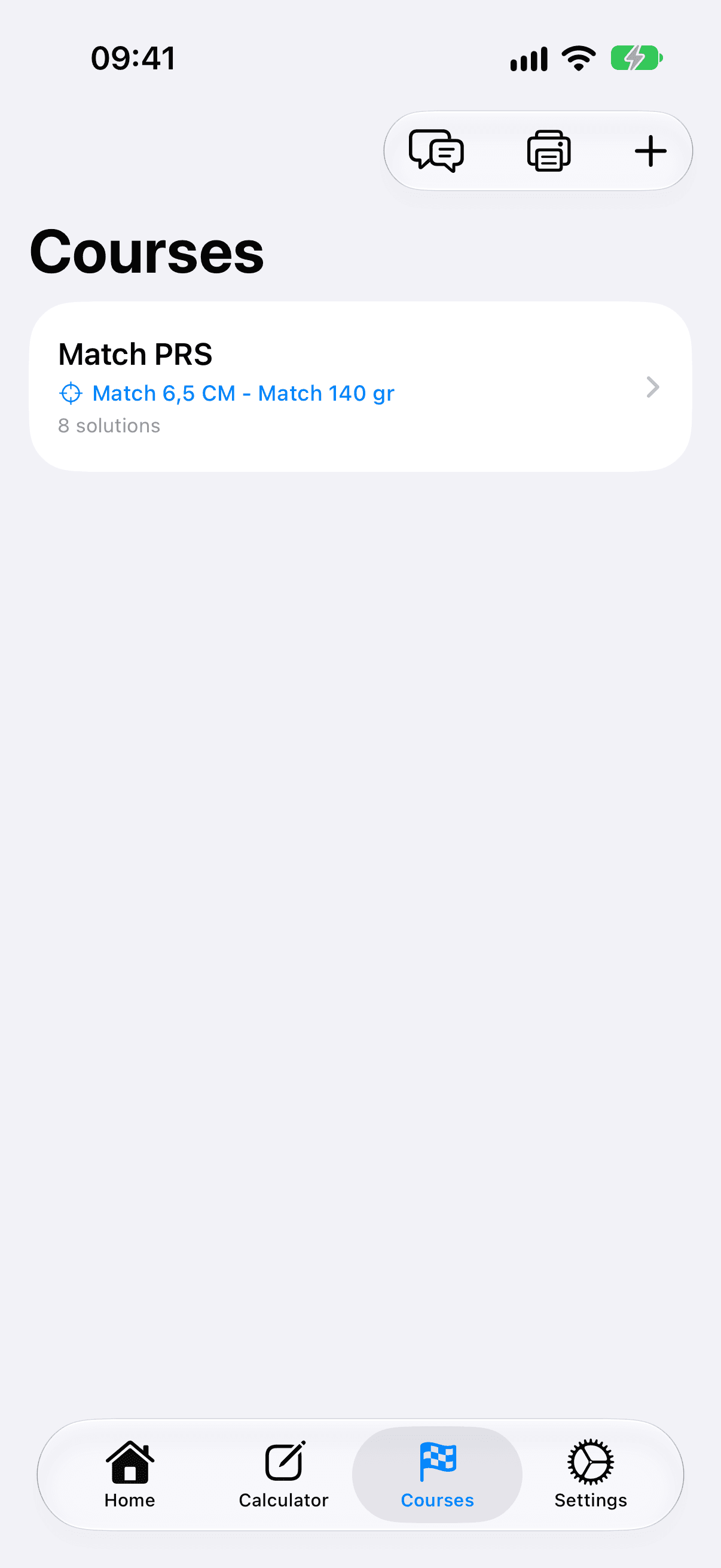
EliteRange saves the targets of a PRS course and places them in your scope reticle, each at its holdover, with the turret at zero or dialed on one target. The corrections are recomputed in one tap for current conditions. The app is free and will stay free, on iPhone.

Describes version 2.5.0, checked November 22, 2026.
A course keeps the setting for every target
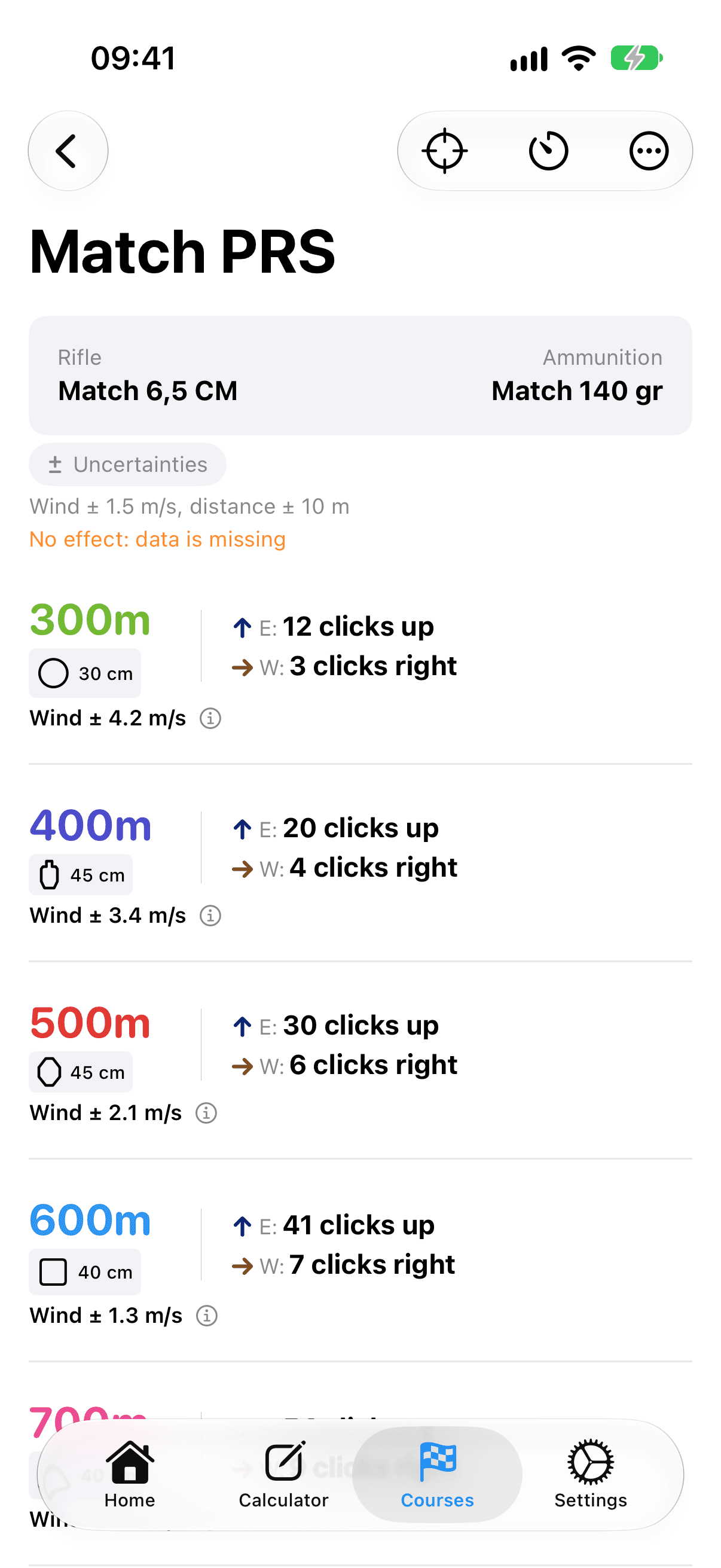
A course stores your targets for one rifle and load pair: distance, click corrections, size. From the calculator, you save the displayed solution into the course of your choice. At the match, the course detail gives every setting back, target by target, with no mental math.
- Each course tied to one rifle and load pair
- Elevation and windage in clicks for every target
- Deleting a course or a target always asks for confirmation
Corrections follow the day’s conditions
A course’s corrections are only valid for the weather of the day you saved them. The update button recomputes every target in three steps: conditions, filled by “Current weather” or by hand, even offline; pointing the iPhone at the most central target, which turns the weather wind into wind relative to your firing axis; then recomputing every target, with each one’s captured angle of site.
If a single target fails, nothing is changed: the course is never left half-updated. To shoot another load of the same caliber, “Change ammunition” creates a new course with the same targets recomputed, and the original stays untouched.
- Angle of site captured target by target by aiming with the camera
- A target with no captured angle is computed at 0°
- Last update date shown under the rifle and load
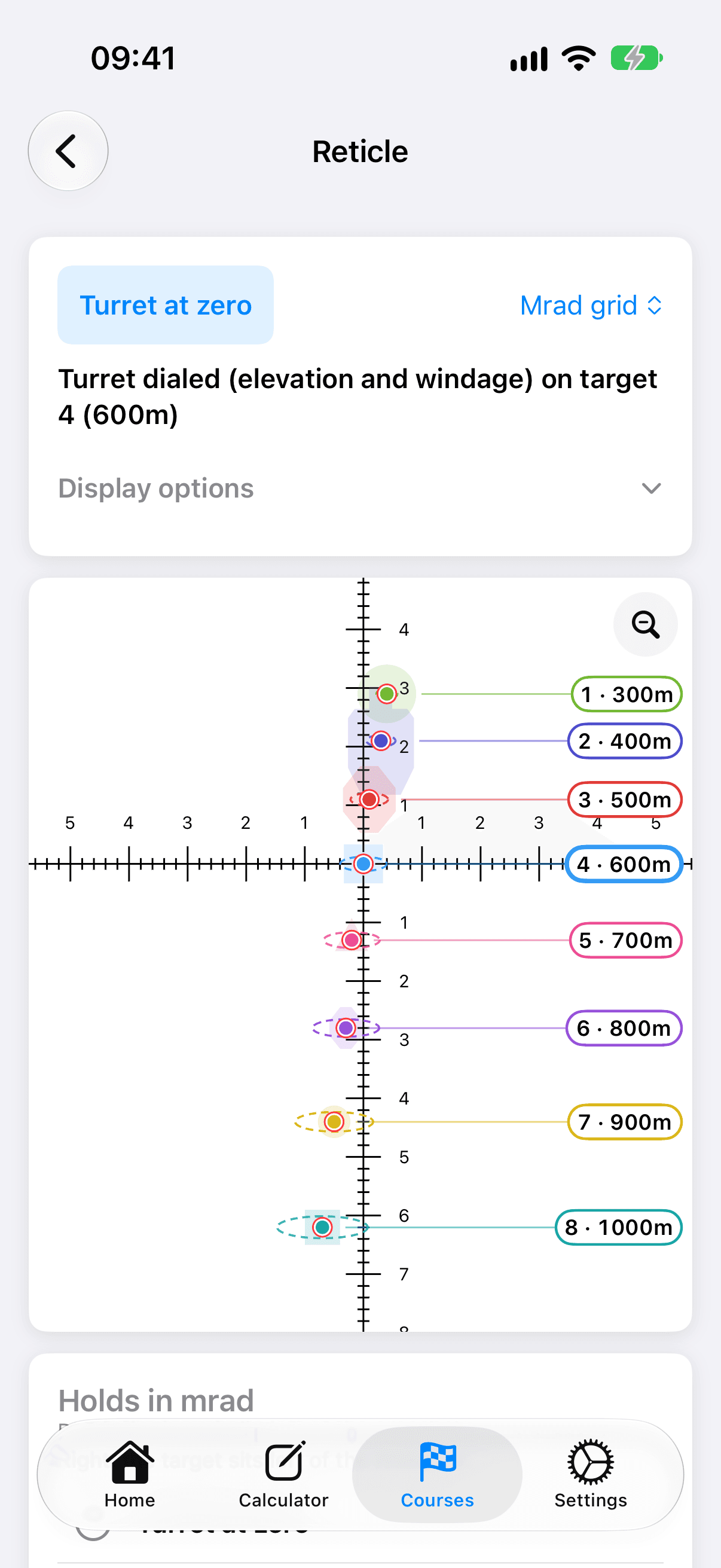
The reticle shows where to hold each target
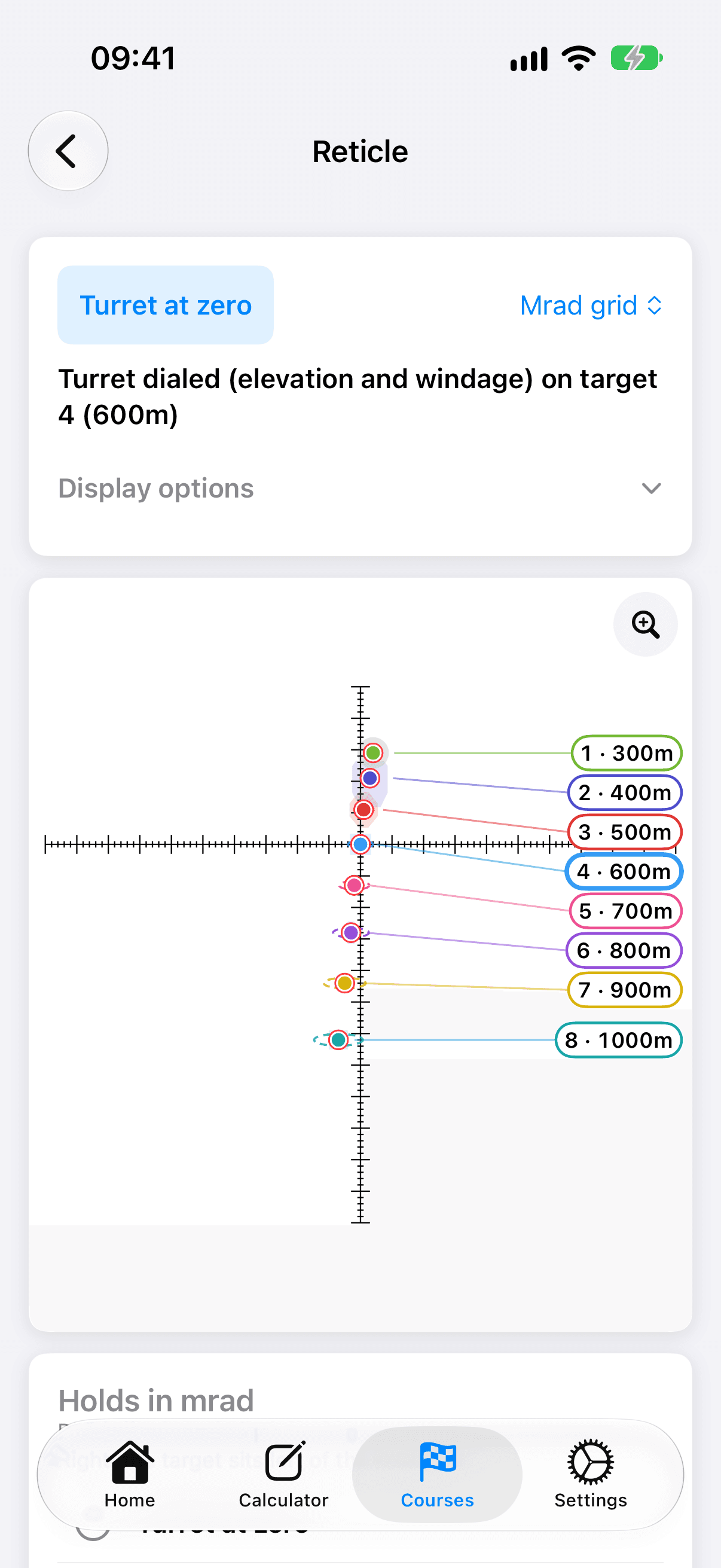
The scope-shaped button at the top of the course detail opens your rifle’s reticle and places every target where you must hold it. The turret is either dialed on a reference target or left “at zero”; when the screen opens, the reference is the middle target of the course by distance. Tap a target, its distance pill or its row in the list to make it the reference.
Below the drawing, the list gives each target’s elevation and windage holdover in the reticle’s unit (mrad or MOA), the direction shown by a colored arrow, with “Beyond graduations” when the target falls outside the reticle.
- Turret at zero or dialed on a target, holdovers for the others
- Reference windage assumed dialed on the turret, which you can switch off
- A lower target needs more elevation; a target to the left needs more right correction
Every target in its own shape, size and color
When editing a target, you pick its shape: round, square, triangle, octagonal IPSC or classic IPSC. Size is free for the first three and fixed (45 cm wide) for the two IPSC shapes. Each target has its own color, the same in the list and on the reticle.
On the reticle, the target is drawn in its true shape and real size as seen in the scope, as a light shadow around the impact point. That point always stays on top, solid and ringed. A diamond marks a target whose size is not saved.
- Five target shapes, two of them IPSC
- One color per target, from the list to the reticle
- Turning “Show target” off keeps only the impacts
A reticle you can read on the barricade
Distance pills line up on the right edge, each joined to its target. The magnifier switches between a tight framing on your impacts and the whole reticle; pinch to zoom, double-tap to return to the overview. Display options fold away once the reticle is set.
On a second focal plane scope, set the current magnification and positions and sizes follow. On a first focal plane scope, the drawing does not depend on it. The bundled reticles are generic and do not reproduce any scope model.
Wind marks (off by default) add small orange ticks at 1 and 2 units of full-value crosswind on both sides of each target. They are the only figures the view computes, using the calculator’s current environment: if that is no longer yours, they can be off by more than 25%. The rest of the reticle reads the saved corrections and recomputes nothing.
- First and second focal plane, mrad and MOA grids
- Wind marks at 1 and 2 units, computing conditions written under the switch
- Update the course when conditions change
Your saved matches, your statistics
From the stage timer, you count your hits target by target and save the match. The Matches tab of the Courses section keeps the history, and its statistics, over the matches you choose, show where you lose points: by distance, apparent target size, shape, wind correction and first target, with points to improve at the top.
- A colored outcome per match
- Statistics over the matches you choose
- Deleting a course deletes its matches, after confirmation
Discs to drop into your scope cover
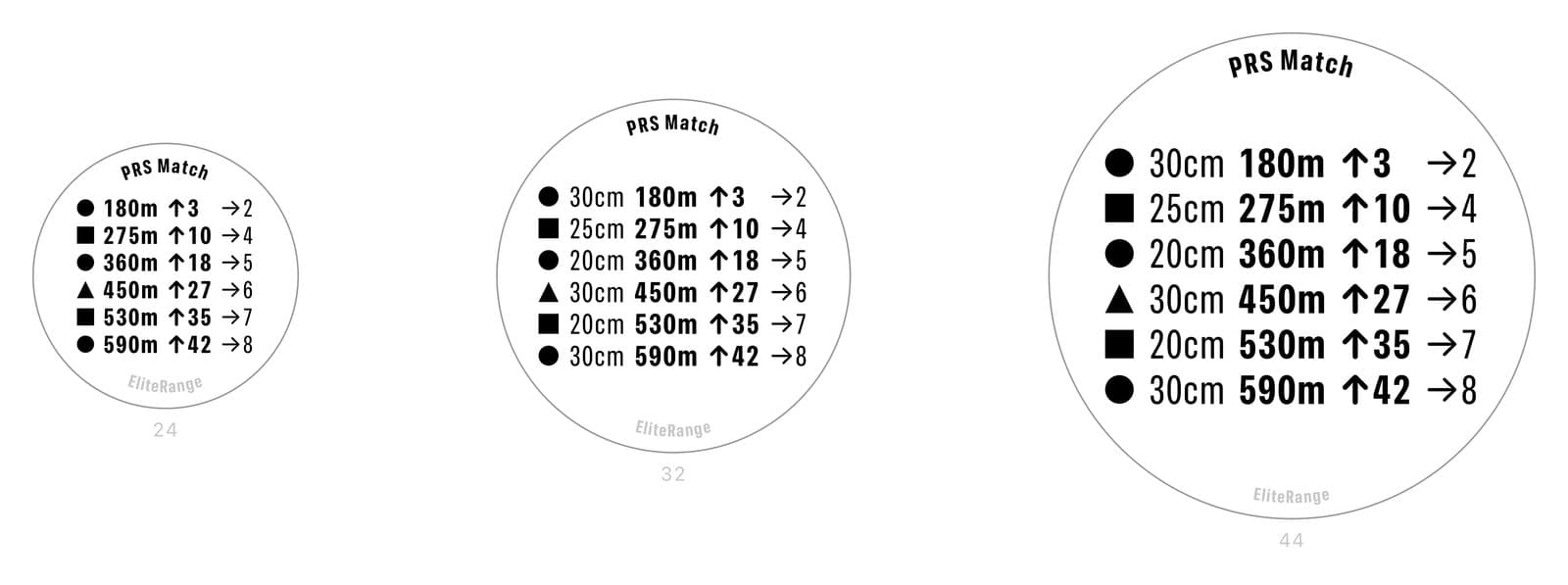
The “Print” button on the courses home produces target cards or discs to drop into a scope cover. Each row shows the target shape if set, its size, the distance, the elevation and the windage. Discs range from 24 to 72 mm, each size printed once, up to 10 targets.
- Rectangular cards or round discs
- Course name along the top of the disc, each distance with its unit
- Discs from 24 to 72 mm
Frequently asked questions
Is the reticle on screen the one in my scope?
No. The bundled reticles are generic and do not reproduce any model; you change reticle from the menu on the screen or the rifle form. On a second focal plane scope, set the current magnification so positions and sizes follow.
Do I need to update the course when the weather changes?
Yes. The reticle reads the saved corrections and recomputes nothing except the wind marks. The update button recomputes every target for current conditions.
Does two-zone wind apply to courses?
No. Two-zone wind applies to the calculator; a course keeps a single wind.
Can I switch loads without redoing my targets?
Yes, for a load of the same caliber as the course’s rifle. A new course is created with the same targets recomputed; the original stays untouched.
How do I save a match?
Start the course’s stage timer, tap the hit icon of each target you hit, then “Save” in the bottom bar. The match appears in the Matches tab, where you can rename it, read it again or delete it.
See also
- Matches and statistics: where do you lose points?Count your hits during the stage, keep every match and see where you lose points: distance, target size, wind, first shot. On iPhone.
- Hit chance: what each target forgivesFor each target of a course: the wind error the target forgives and, with its size, a measured group and a chronograph series, your hit probability. Free.
- PAR Timer and stage timer, just like a matchFree PAR timer on iPhone: random start, shots detected by the microphone, splits. Plus a PRS stage timer that turns orange at 30 s and red at 10 s.
- EliteRange on Apple Watch: your firing solution on your wristOn Apple Watch: firing solution on the Digital Crown, courses target after target, anti-cant level, stage timer. iPhone stays in your pocket, offline too.
- Ballistic calculator: firing solution and wind, in clicksElevation and windage in clicks, two-zone wind, gusts, automatic weather and truing: EliteRange’s free ballistic calculator for iPhone.
Try it on your rifle
Free · iOS 18.4 or later · No account, no ads