Matches and statistics: where do you lose points?
EliteRange counts your hits target by target during the stage timer and keeps every match. Over the matches you choose, its statistics show where you lose points: by distance, target size, shape, wind and first target, with points to improve. The app is free, on iPhone.

Describes version 2.5.0, checked November 22, 2026.
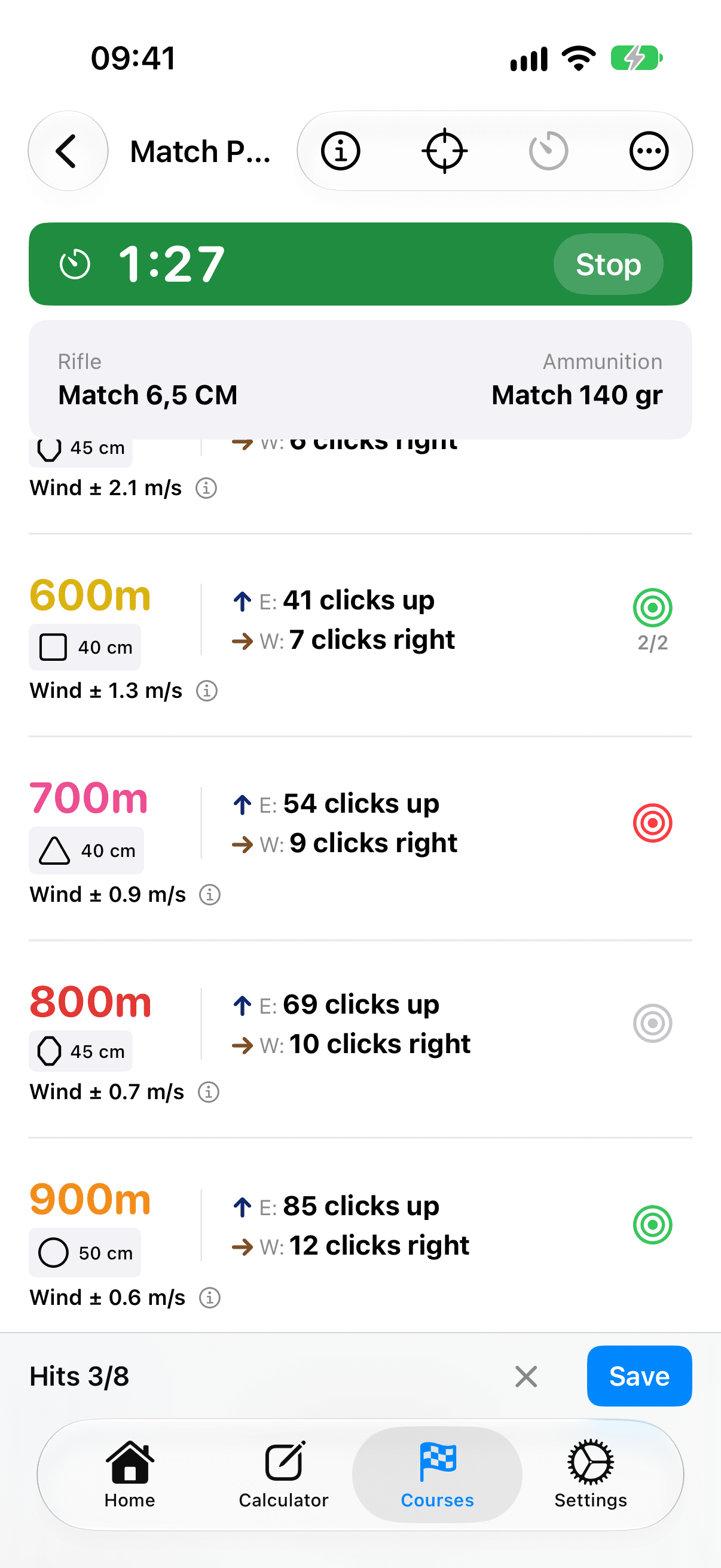
One tap per target hit, during the stage
As soon as a course’s countdown starts, a hit icon appears on the right of each target. Tap the icon of a target you hit: it turns green, and a second tap turns it grey again. The countdown, its sounds and its colors do not change. The same icons are on the reticle screen, on the right of each row of the hold table.
For several shots on one target, a long press opens the detail: set the number of shots, then tap the ones that hit, for example 3 shots with hits on shots 1 and 3. The icon then shows the detail, for example “1/2”. A target with zero shots is “not shot” and is left out of the statistics; a target you did not touch counts as one missed shot.
- Green: hit with every shot
- Orange: hit with at least one missed shot
- Red: shot and missed
- Grey: not shot or not entered yet
“Save” is active as soon as one target is hit
A one-line bar at the bottom of the screen counts targets hit over the course’s targets, for example “Hits 3/8”, with a cross to discard and “Save”. The button is active as soon as one target is hit: if you finish before time is up, save without waiting, the countdown stops. It is also active as soon as time is up, and a match with no hit asks for confirmation.
You can enter hits during the stage or afterwards. Until you save or discard, your entry is kept, even if you leave the course, lock the screen or close the app; you cannot start a new stage on this course in the meantime.
- Saving without waiting for time to run out
- Entry kept if the app closes
- The (i) button on the course and reticle screens recalls the gestures
The Matches tab keeps the history
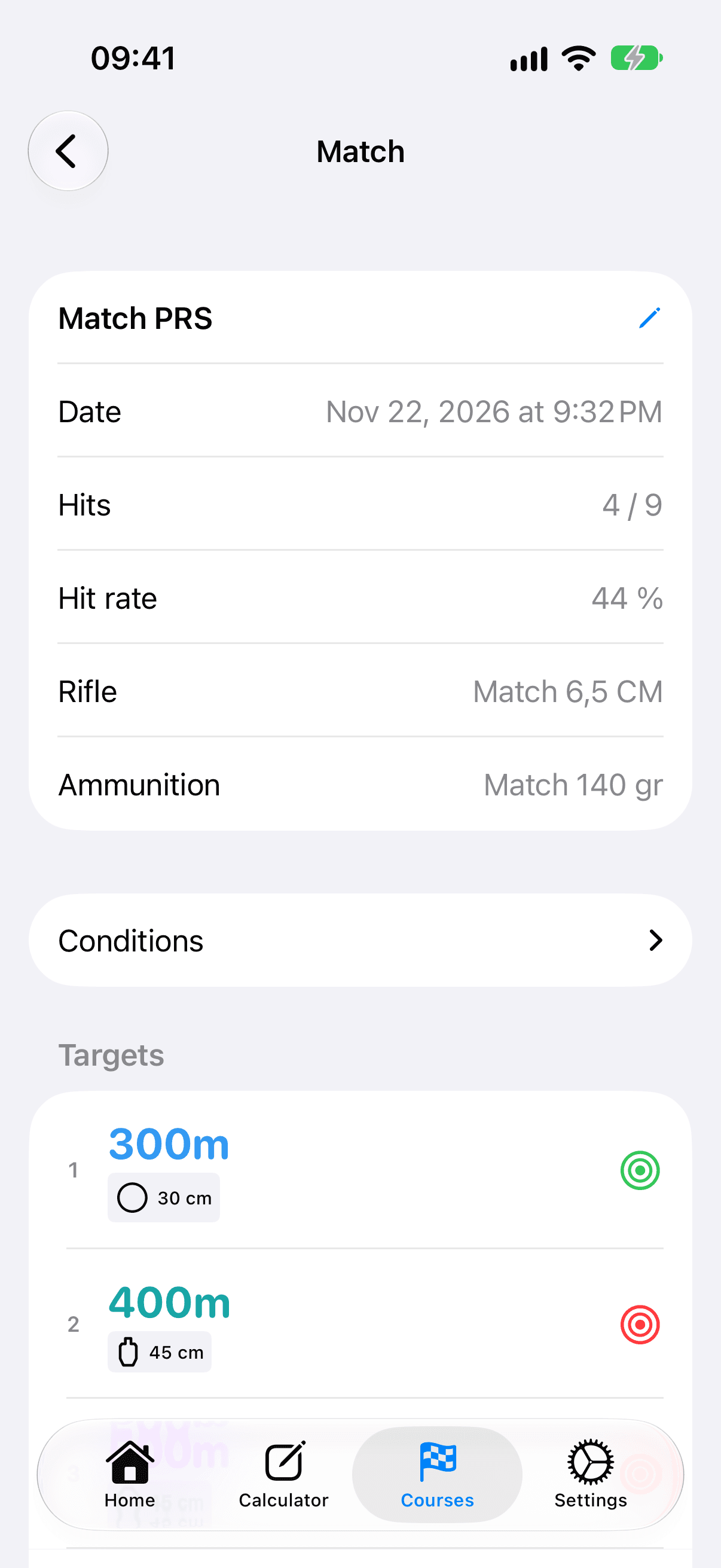
The Courses section has two tabs: Courses and Matches. The Matches tab lists all your matches, newest first. The target on each row gives the outcome: green, every target shot was hit; orange, at least one was missed; red, none was hit.
Tap a row to read the match: each target shows its distance in its color, its shape and its size. The match name can be changed, for example “Regional final”, and the course stays shown. The Conditions row gives the wind, shooting azimuth, temperature, pressure and humidity the calculator showed when the match was saved.
- A colored outcome on each row
- Match can be renamed, course always shown
- Conditions of the moment kept with the match
- Deleting a match always asks for confirmation
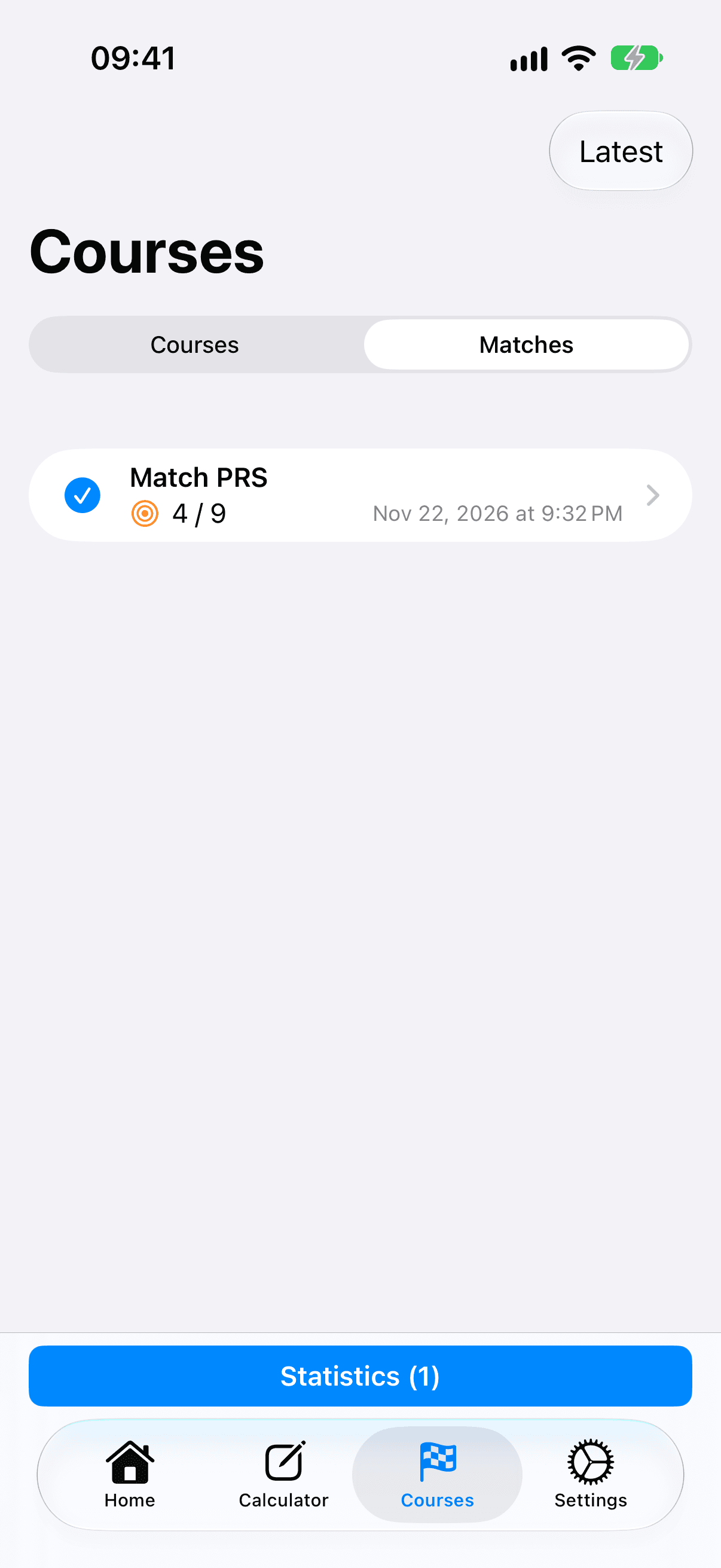
Statistics over the matches you choose
Tick the matches to analyse, or in one gesture “Latest 3, 5 or 10”, then tap Statistics. The app gives hits over shots, targets hit and targets hit with the first shot, consistency (standard deviation of the match rates), trend from 3 matches (recent half compared with the older half), and the best and worst match.
Then come the breakdowns that show where you lose points: by distance, by apparent target size (size divided by distance, in mrad), by target shape, by wind correction, first target against the others, most missed targets, and the probability predicted by the app compared with your first-shot success.
Each row says how many targets it covers. Below 5 shots, no percentage; a statistic that cannot be computed is shown as unavailable, nothing is assumed. No statistic depends on time: the instant of a hit entered by hand would be wrong.
- By distance, apparent size and target shape
- By wind correction, first target against the others
- Predicted probability compared with your first-shot success
- Consistency and trend from one match to the next
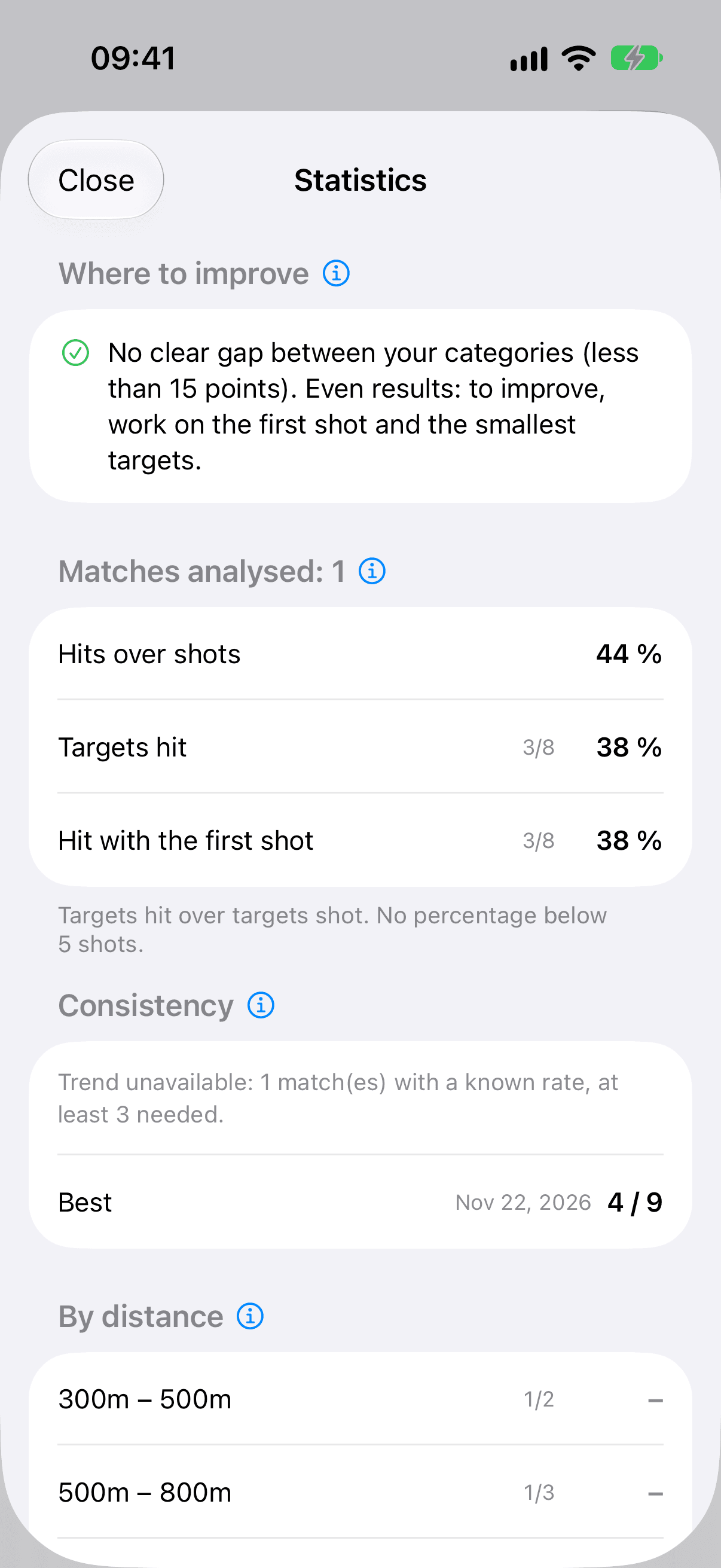
Points to improve, in plain words
At the top of the statistics, the app says what your figures point to, with advice: first shot, weaker distance band or target size, strong wind, first target, gap with the predicted probability, consistency, most missed target. A point only appears when it rests on at least 5 shots and differs from your average by at least 15 points; there are four at most.
Each section has its (i) button: what the figure measures, how to read it, what to work on.
- At least 5 shots for a point to appear
- At least 15 points away from your average
- Four points at most
Frequently asked questions
How do I say a target was shot and missed?
Long-press its icon, then tap “OK”: the icon turns red. A target you did not touch at all also counts as one missed shot.
How many shots do I need to get statistics?
A percentage needs at least 5 shots on the row, a point to improve at least 5 shots and 15 points away from your average, and the trend at least 3 matches.
Does the watch count hits?
No. Apple Watch keeps its stage countdown; hits are entered on the iPhone.
What happens to my matches if I delete the course?
They are deleted with it, and the confirmation says so. A match keeps the course, rifle and ammunition names as they were at the time. Matches do not travel with profile export.
Do matches and statistics cost anything?
No. EliteRange is free and will stay free: no account, no ads, no tracking. Your matches stay on your iPhone.
See also
- PRS course and reticle: every target right where to hold itSave the targets of a PRS course, recompute them for current weather and see each one in the reticle, right where to hold. Free, on iPhone.
- PAR Timer and stage timer, just like a matchFree PAR timer on iPhone: random start, shots detected by the microphone, splits. Plus a PRS stage timer that turns orange at 30 s and red at 10 s.
- Hit chance: what each target forgivesFor each target of a course: the wind error the target forgives and, with its size, a measured group and a chronograph series, your hit probability. Free.
Try it on your rifle
Free · iOS 18.4 or later · No account, no ads