Bluetooth devices, chronograph series and camera aiming
EliteRange links a Kestrel or another Bluetooth weather station to your iPhone, in beta: the ballistic app works from the air measured at your firing point. A rangefinder fills distance and site angle, your chronograph series give the muzzle velocity. It is free, read-only, and writes nothing to the device.

Describes version 2.5.0, checked November 22, 2026.
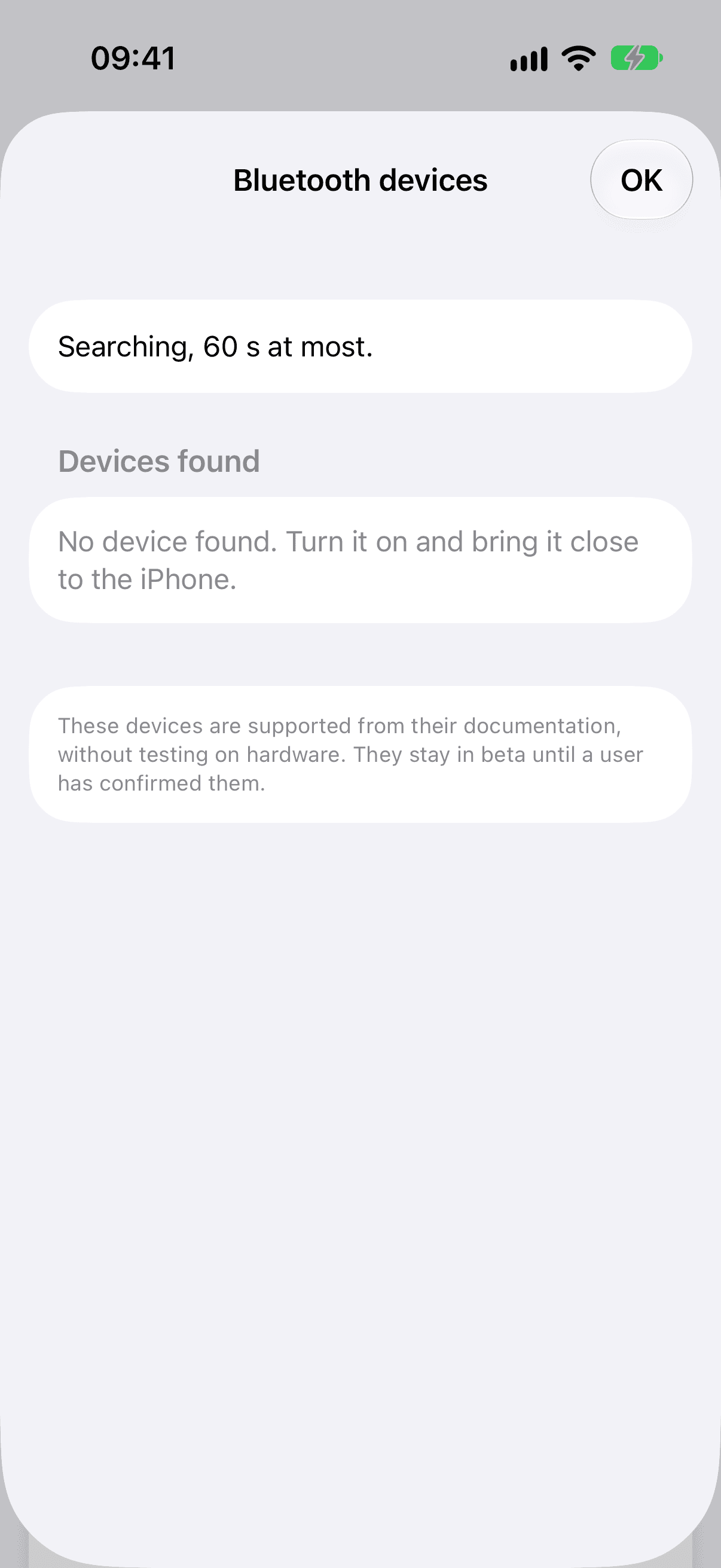
A weather station at your firing point, in beta
betaApple’s weather comes from the nearest station, sometimes several kilometres away. A station set up at your firing point measures the air your bullet actually crosses. The “Devices” button, next to “Auto” in the calculator, links it: the search lasts 60 s at most, then tap “Connect”.
These devices are in beta: they are read from the manufacturer’s documentation, without testing on the hardware, until a user confirms them.
- Kestrel 5500, 5700, 5700 Elite and 5700X: temperature, humidity, station pressure, wind
- Kestrel DROP D2 and D3: temperature, humidity, pressure
- Skywatch BL and BL1000, WeatherFlow WEATHERmeter, Calypso Ultrasonic Portable anemometer
- Automatic reconnection, only while the app is in the foreground
- Kestrel: set “Conct” to PC/Mobile and close the maker’s app, one connected app at a time
Every value shows where it comes from, and nothing is written to the device
betaEach environment value carries the color of its source: green for the device, blue for Apple’s weather, a neutral color for what you type. A quantity the device does not provide stays Apple’s. Your own entry comes first, then the device, then Apple.
A doubtful value is never applied silently. Pressure more than 8 hPa from the iPhone barometer, temperature more than 12 °C from the latest Apple weather, humidity more than 40 points apart: the “Device value held back” banner shows both values and you decide.
Read-only and in beta, from the manufacturer’s documentation, without testing on the hardware: the app changes no profile, setting or firmware, and erases nothing; it only sends what a device needs to start transmitting. No device data leaves the iPhone, unless you attach its frames to a report yourself.
- No data for 30 s: the last values stay, lose the green and show their age
- Wind direction stays on the dial: a device’s direction depends on how you hold it
- “not cross-checked” under the pressure: the iPhone has no barometer available to check it
A rangefinder fills distance and site angle, in beta
betaConnected in “Devices”, a rangefinder fills the calculator’s distance and site angle at once, in green. “Undo” restores the previous values for a few seconds. Rangefinders are in beta: read from the manufacturer’s documentation, without testing on the hardware.
- Arken Targetlock TL3000 and BH2000, Vectronix Terrapin X
- Angle direction (uphill or downhill) still to confirm on your device: check the sign the first time
- Zero distance, distance beyond the calculation range, angle outside -60° to +60°: ignored
Aim at the target with the camera: site angle and direction
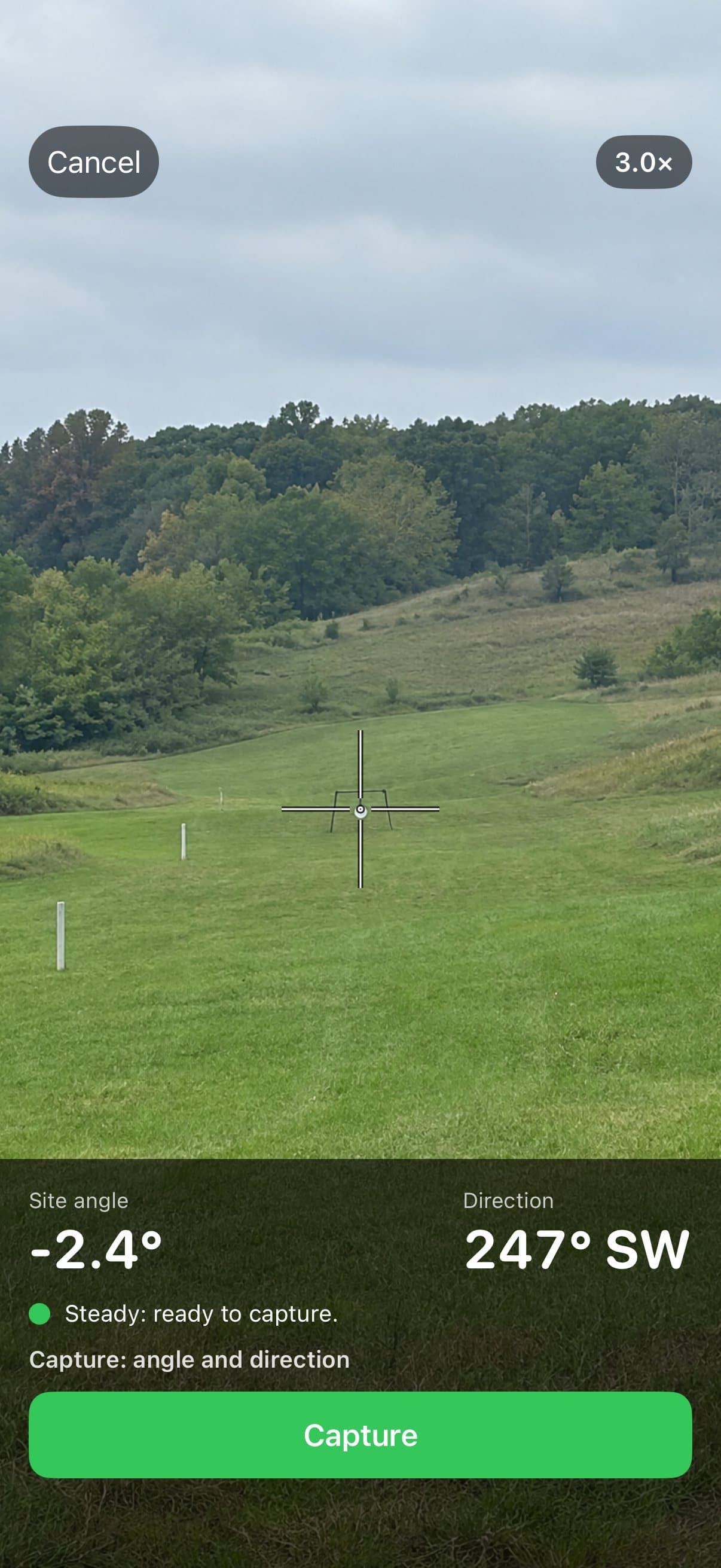
Next to the site angle, “Aim at the target” opens the rear camera with a thin reticle. Put it on the target and pinch to zoom: the site angle, to 0.1°, and the direction show live. “Capture” only becomes active when the image is steady, and fills both values at once, in the calculator and target by target in a course.
- For the direction, keep the phone away from metal; compass not reliable: only the angle is taken
- Without location, the direction is relative to magnetic north, and marked as such
- Check once on a target whose angle you know: a very strong zoom can shift the aim slightly
Chronograph series: muzzle velocity without copying
betaOn an ammunition sheet, tap “Add a series”: paste your velocities or open your chronograph’s file. The app gives the average, standard deviation and spread, then proposes the muzzle velocity with its margin, for example “Margin: ± 0.8 m/s (5 shots)”. An outlier is flagged, never removed without your approval; with fewer than 3 shots kept, there is no standard deviation and no proposal.
Pasting and file import are the safe route. Receiving a series straight from a Garmin Xero over Bluetooth is in beta: read from the manufacturer’s documentation, without testing on a real radar, it may require pairing through the maker’s app.
- Files: Garmin Xero .fit, ShotView CSV or XLSX, LabRadar CSV, MagnetoSpeed CSV
- Two series at least 10 °C apart: the thermal sensitivity is proposed, with its margin
Dashboard, settings, FFTir licence and feedback
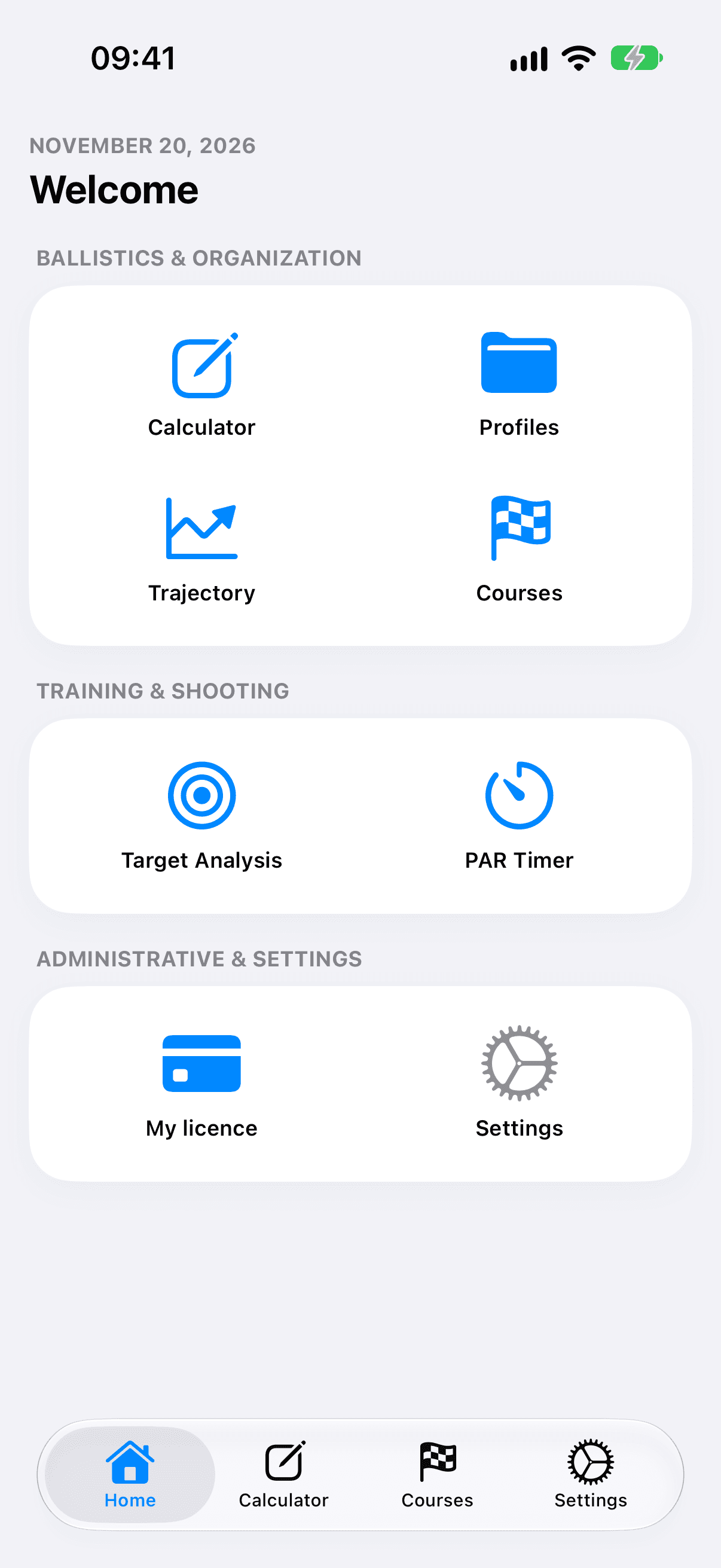
The dashboard opens every tool: Calculator, Profiles, Trajectory, Courses, Target Analysis, PAR Timer, Settings, and the “My licence” card, shown by default; the setting to hide it is only offered in French.
In Settings: metric or imperial units, light, dark or system theme, location and azimuth for the Coriolis effect. The app is in English and French.
The speech-bubble button in the top bar sends a problem, an idea, a question or a review from the screen you are on. The screenshot is attached by default and removed in one tap, the email address is optional, and your location is never attached.
- Profile export to an .eliterange file, series included: on import, a preview details what will be added and nothing is overwritten
- FFTir licence (French shooting federation): scan the QR code or import the PDF, barcode or QR full screen, validity by color
- Free and will stay free: no account, no ads, no tracking
Frequently asked questions
Is my Kestrel 4500 supported?
No. The Kestrel 4000 to 4500 use classic Bluetooth, which an iOS app cannot reach without Apple’s MFi program: no update will change that. The Kestrel 5500, 5700, 5700 Elite, 5700X and DROP D2 and D3 are supported, in beta.
Why are these devices in beta?
They are read from the manufacturers’ documentation and cross-checked sources, without testing on real hardware. They stay in beta until a user confirms them: report yours from the feedback button.
Does EliteRange change anything on my Kestrel?
No. Reading, in beta, writes nothing: no profile, setting or firmware. The Kestrel encrypted channel is not used, so its rifle profiles and firing solution are not imported.
What about my LabRadar or MagnetoSpeed?
Their wireless link uses a non-public protocol: the app prefers reading nothing to reading it wrong. Import their CSV export into the ammunition’s chronograph series.
Do I need a device to use EliteRange?
No. Without a device, the screen is the one you know: Apple’s weather with “Auto”, or manual entry.
Bluetooth devices in beta: read from the manufacturers’ documentation, without testing on the hardware. Check the values you receive before you shoot.
See also
- Ballistic calculator: firing solution and wind, in clicksElevation and windage in clicks, two-zone wind, gusts, automatic weather and truing: EliteRange’s free ballistic calculator for iPhone.
- Rifles, loads and handloading: your profiles and the bullet catalogRifle and load profiles, a bullet catalog with ballistic coefficients, chronograph series, temperature sensitivity and zero offset. Free on iPhone.
- PRS course and reticle: every target right where to hold itSave the targets of a PRS course, recompute them for current weather and see each one in the reticle, right where to hold. Free, on iPhone.
- Hit chance: what each target forgivesFor each target of a course: the wind error the target forgives and, with its size, a measured group and a chronograph series, your hit probability. Free.
Try it on your rifle
Free · iOS 18.4 or later · No account, no ads