PAR Timer and stage timer, just like a match
EliteRange includes a free shot timer on iPhone, the PAR Timer: instant, fixed, random or shake start, shots detected by the microphone and splits, dry fire included. For PRS, every course has its own stage timer that runs through the match sequence, on iPhone and Apple Watch.

Describes version 2.5.0, checked November 22, 2026.
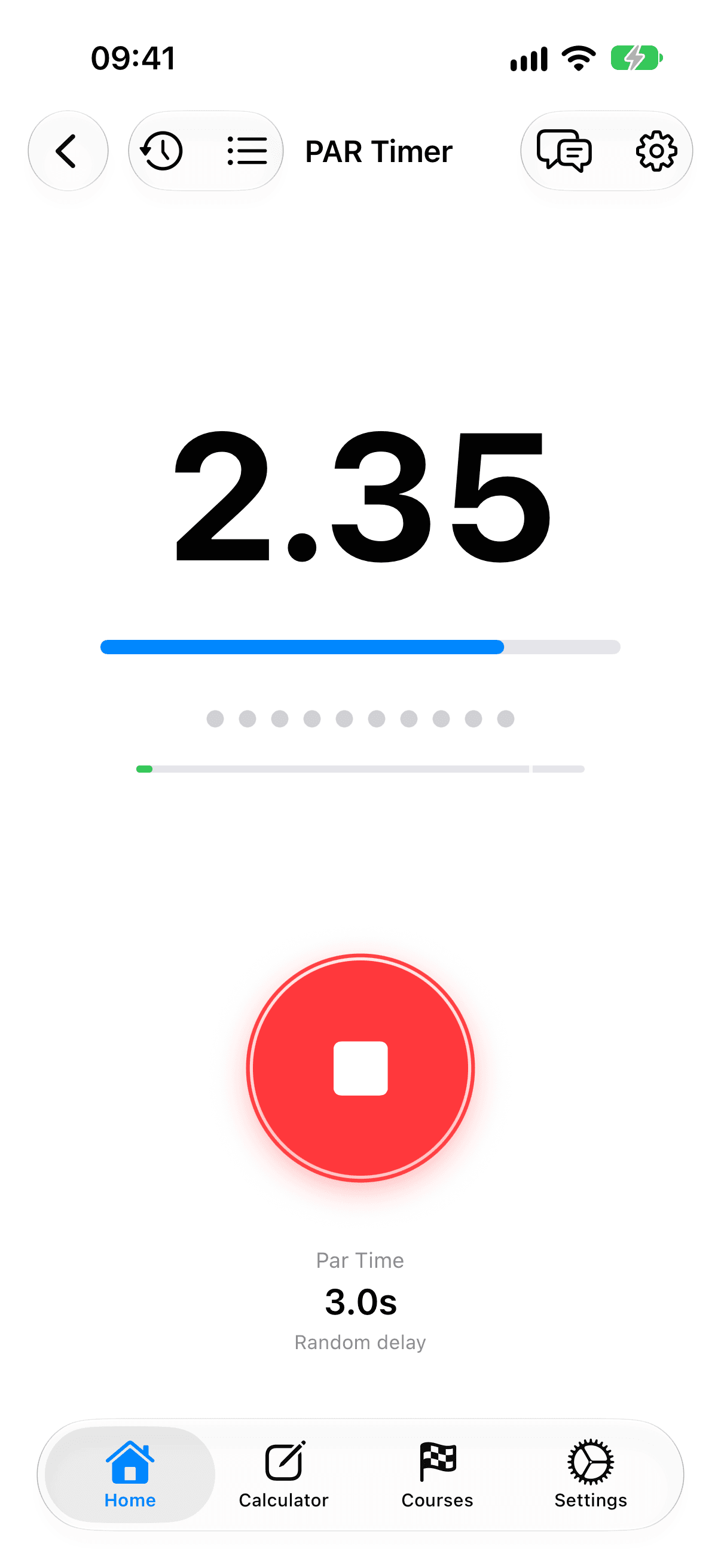
The PAR Timer listens for your shots and measures your splits
Set one or more par times and start the string: the iPhone microphone picks up each shot and marks its exact time. At the end of the string you read the total time, the fastest split, the slowest split and the average.
- Sensitivity to suit your range: Dry Fire, .22 LR, Large Caliber
- Dry fire: the trigger click is detected, no ammunition needed
- Sessions saved to the history, behind the clock icon
A start signal you cannot anticipate
The start mode decides when the beep goes off. A random delay keeps you from anticipating it; Shake to Start helps when you train alone.
- Instant: immediate start
- Fixed Delay: a wait of the length you choose
- Random Delay: an unpredictable wait, for example between 2 and 5 s
- Shake to Start: the timer starts when you move
- Repetitions: strings run back to back automatically
The stage timer follows the sequence of a match
In a course’s detail, the stopwatch button offers 90, 105 or 120 s, or a free duration from 10 to 600 s in 5 s steps. The duration is kept for that course.
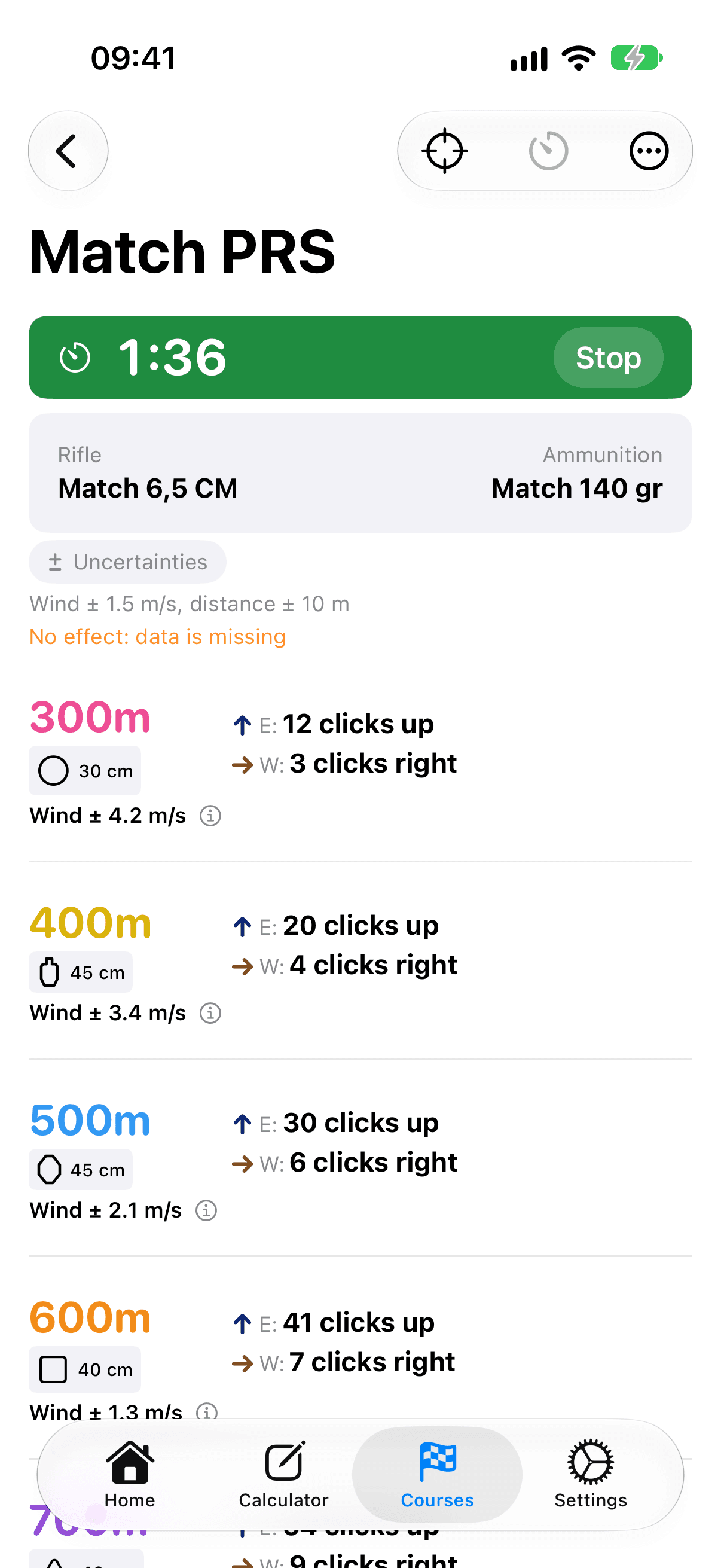
“Start” shows “Shooter ready?”. “Ready” moves to “Standby” for a random wait of 1 to 4 s, then the PAR Timer’s start beep and a vibration begin the countdown, in green. The course targets stay on screen and keep scrolling: the correction for the next target is right in front of you.
- The wait follows the PAR Timer when it is set to a random or fixed delay
- “Shooter ready?” can be turned off: “Start” then goes straight to “Standby”
- “Cancel” interrupts the wait and drops the start beep
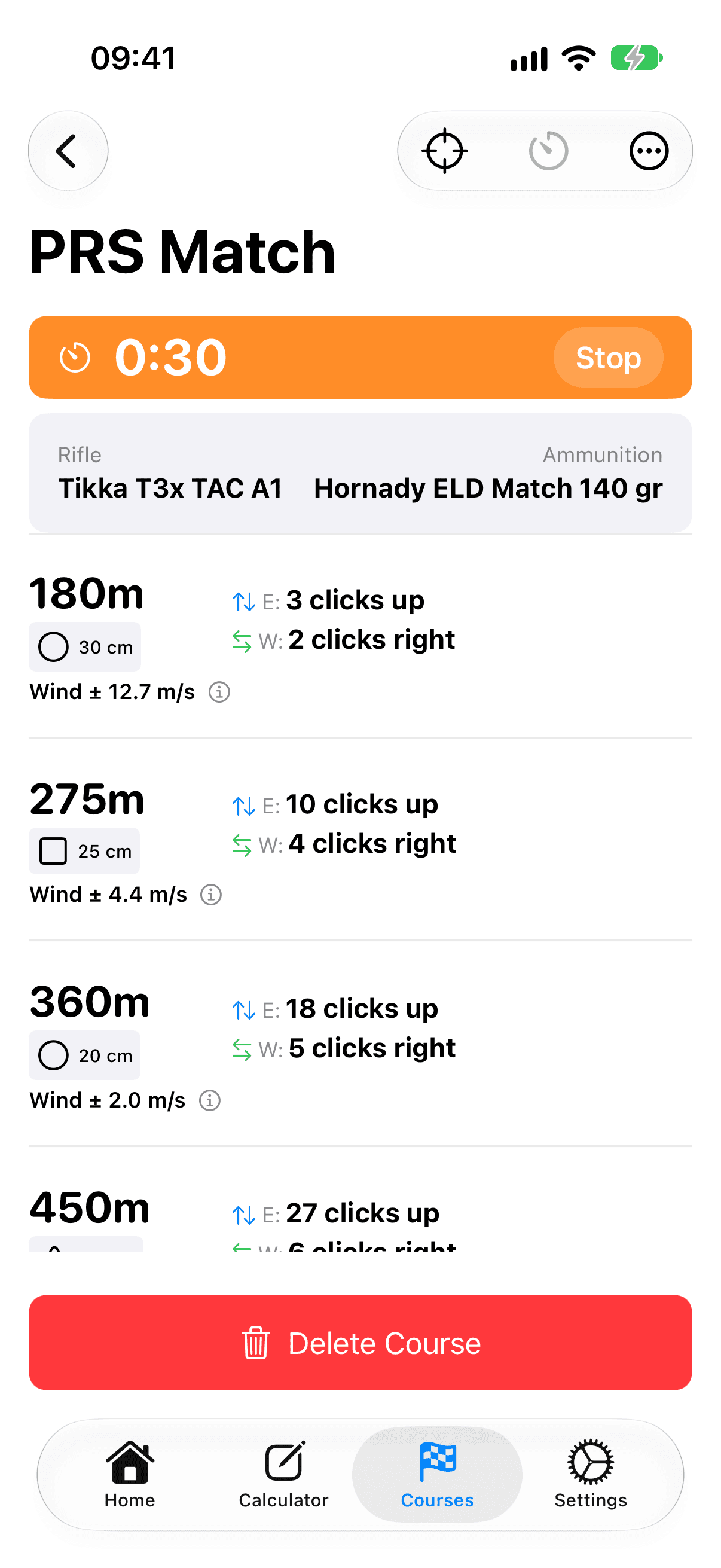
Orange at 30 s, red at 10 s, even in silent mode
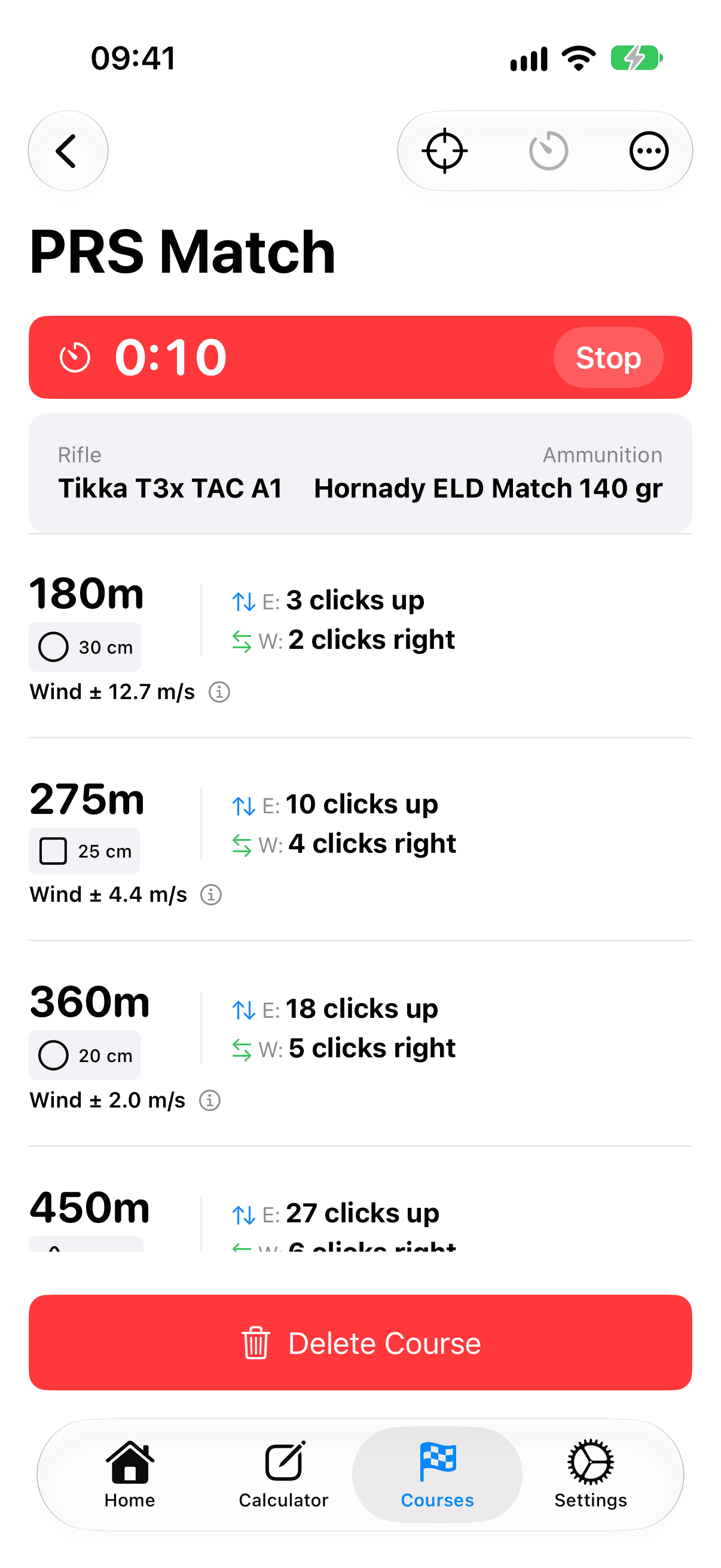
The time turns orange at 30 s and red at 10 s, with a vibration at each step and at zero. The sounds are the PAR Timer’s: a short beep at 30 s, two at 10 s, the end-of-time sound at zero.
They are heard even when the iPhone silent switch is on, because a shooting timer has to be heard, and your music keeps playing.
“Stop” freezes the elapsed time
During the countdown, “Stop” freezes the bar in grey on the elapsed time, for example “Stopped 0:42”, until “Close” or a new “Start”. The countdown stays accurate if the screen turns off.
- The timer runs on the device where it is started: iPhone or watch, not both
- On Apple Watch: a long press on the targets screen, the same colors, a vibration at each step
- The PAR Timer itself is not changed by the stage timer
Your hits counted during the stage
As soon as a course’s countdown starts, a hit icon appears on the right of each target, with a one-line bar at the bottom of the screen. Tap the icon of a target you hit: it turns green. A long press sets the number of shots and which ones hit. The countdown, its sounds and its colors do not change, and the same icons are on the reticle screen.
The bar counts targets hit over the course’s targets, for example “Hits 3/8”. “Save” is active as soon as one target is hit: if you finish before time is up, save without waiting. Until you save or discard, your entry is kept, even if you leave the course, lock the screen or close the app. The match joins the “Matches” tab of the Courses section.
- Green: hit with every shot; orange: hit with a missed shot; red: shot and missed; grey: not shot
- Hits entered during the stage or afterwards
- The watch keeps its countdown: it does not count hits
Frequently asked questions
Does the PAR Timer work for dry fire?
Yes. Pick the Dry Fire sensitivity: the microphone picks up the trigger click. The .22 LR and Large Caliber settings are for live fire.
The PAR Timer does not detect my shots. What should I do?
Check that the app is allowed to use the microphone, then raise the sensitivity in the timer settings (gear icon).
Which stage durations can I set?
90, 105 or 120 s, or a free duration from 10 to 600 s in 5 s steps. It is kept per course; the watch uses the course’s duration, 105 s by default.
Can I count my hits during the stage?
Yes, on the iPhone. During the countdown, each target has its hit icon: one tap marks it hit, a long press sets the number of shots. “Save” keeps the match in the Matches tab. The watch does not count hits.
Can I hear the beeps when the iPhone is in silent mode?
Yes. The PAR Timer and the stage timer sound even with the silent switch on, and the iPhone’s music keeps playing.
Does the PAR Timer cost anything?
No. EliteRange is free and will stay free: no account, no ads, no tracking. Your data stays on your iPhone.
See also
- PRS course and reticle: every target right where to hold itSave the targets of a PRS course, recompute them for current weather and see each one in the reticle, right where to hold. Free, on iPhone.
- Matches and statistics: where do you lose points?Count your hits during the stage, keep every match and see where you lose points: distance, target size, wind, first shot. On iPhone.
- EliteRange on Apple Watch: your firing solution on your wristOn Apple Watch: firing solution on the Digital Crown, courses target after target, anti-cant level, stage timer. iPhone stays in your pocket, offline too.
- Hit chance: what each target forgivesFor each target of a course: the wind error the target forgives and, with its size, a measured group and a chronograph series, your hit probability. Free.
- Target analysis: your group measured in cm and MOATake a photo of your target: hits detected, group measured in cm, inches and MOA, scope correction in clicks, progress tracked. Free, on iPhone.
Try it on your rifle
Free · iOS 18.4 or later · No account, no ads