Target analysis: your group measured in cm and MOA
Take a photo of your target: EliteRange detects the hits, measures the group in cm, inches and MOA once the scale is set, and turns the offset into clicks for your scope. Target analysis also tracks your progress from one session to the next; it is free and will stay free, on iPhone.

Describes version 2.5.0, checked November 22, 2026.
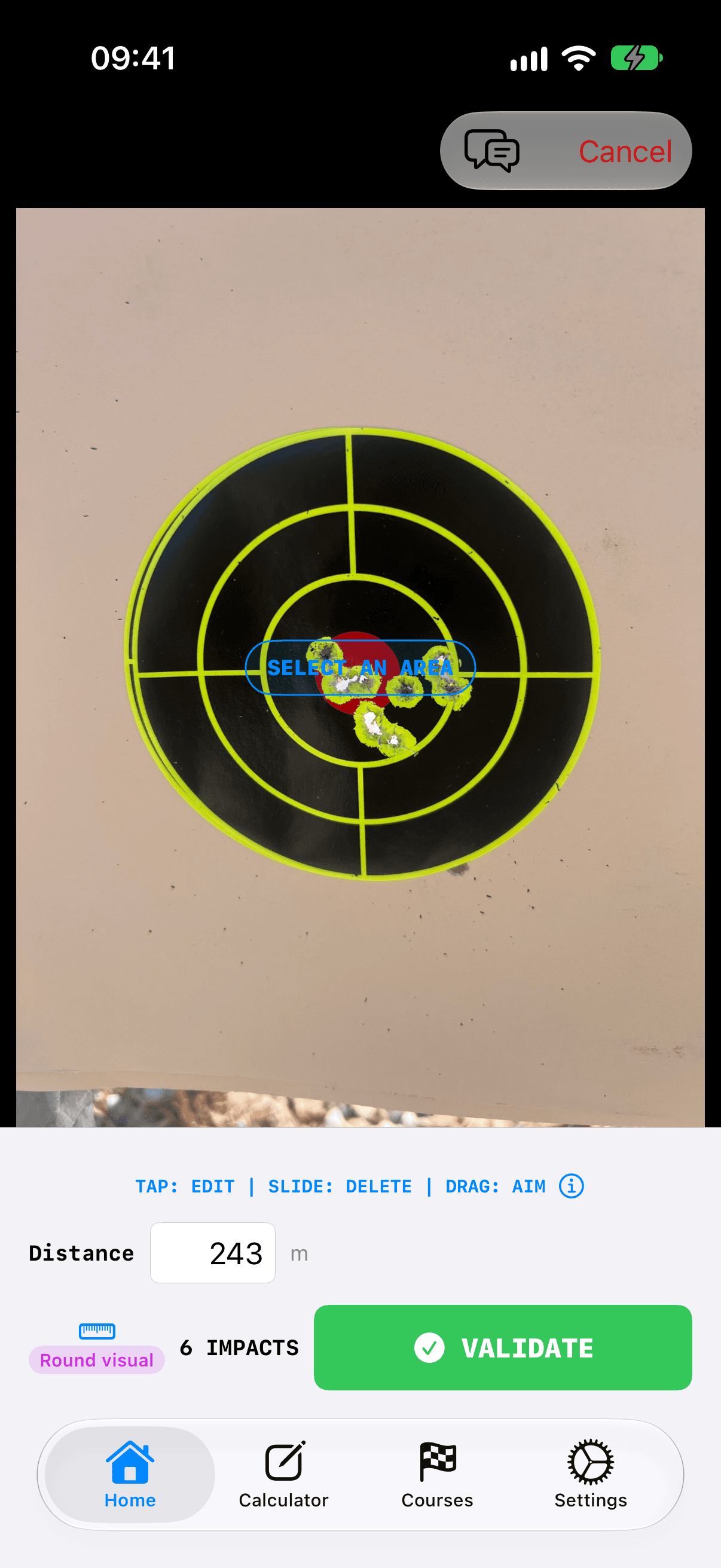
One photo, and the hits are detected
Take a photo of the target, as square-on as you can, or import one from your gallery. Draw a box around a group; one photo can hold several zones, each with its own shooting distance, which MOA values require.
The app detects hits, dark holes or reactive-target halos, while ignoring target lines, printed numbers and marker strokes. It works with round visuals, crosses, grids, reactive targets and plain cardboard.
- Tap an empty spot to add a hit
- Several bullets through the same hole: x2, x3 badge
- Flyer forced or dismissed, aim point set with the green crosshair
Set the scale with what you have at hand
To measure in real units, the photo needs one known dimension. Five methods work on every iPhone; a sixth, for iPhone Pro models only, is described below. Without a validated scale, the analysis stays relative, in percentages: no cm or MOA.
- Ruler: a segment between two known points, the universal method
- Grid: the grid pitch is detected, you confirm one square
- A4, A3 or Letter sheet: its outline sets the scale and corrects perspective
- Round visual: its known diameter sets the scale
- Bullet holes: an estimated scale from the linked load, to refine with the ruler
Scale measured by LiDAR, in beta
betaOn an iPhone Pro with LiDAR, with the photo taken in the app, the iPhone measures the scale itself: stand one step from the target, squarely in front of it. The scale is kept only if the target is 0.3 to 1.5 m away, its plane is not tilted by more than 25° and the depth reading is stable. Otherwise, one sentence gives the reason and the usual scale screen opens.
This method is in beta: its accuracy is still to be confirmed by tests on the hardware. The manual ruler can correct it afterwards, and the shooting distance stays the one you enter.
- iPhone Pro with LiDAR, photo taken in the app
- Target 0.3 to 1.5 m away, tilted 25° at most
- Imported photo or iPhone without LiDAR: nothing changes
A report in figures and the correction in clicks
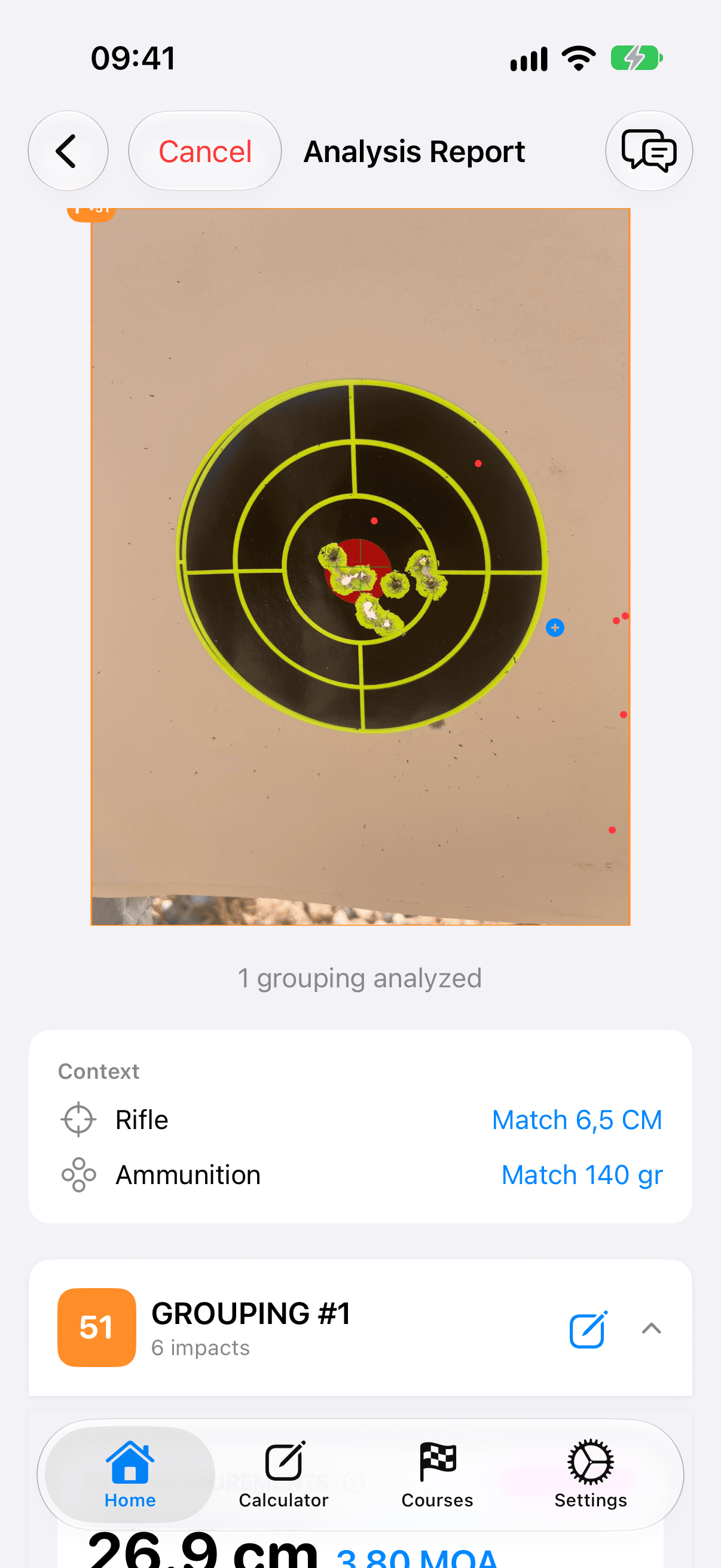
The report gives the extreme spread, mean radius and CEP50 in cm or inches and in MOA, with the shot and hole counts. A score out of 100, anchored on the group’s real size in MOA, compares across sessions; without a distance, a shape score replaces it.
“Correct my scope” turns the group’s offset from the point of aim into clicks of your turret, with directions (for example 3 clicks up, 2 clicks left). It needs the scale, the distance and a linked rifle. When the vertical offset is significant, the app offers to open truing for the load, with the distance and the offset already filled in.
- Extreme spread, mean radius, CEP50
- A flyer is flagged only beyond twice the group size
- Scope correction in clicks, direction included
Your progress, session after session
Each saved analysis shows its best group, its scale method and its rifle and load. You filter by rifle or load, follow your personal record and the average of your last 5 analyses, and compare two analyses side by side, before and after an adjustment or a change of load.
- Personal record and average of the last 5 analyses
- MOA trend chart and milestones (first group under 2, 1, 0.5 MOA)
- Two analyses compared side by side
The cold bore first shot, measured on your targets
In the workshop, mark the first shot’s hit as “First shot, cold bore”. When the analysis is saved, its offset is measured in MOA from the centre of the group’s other hits. This needs a linked rifle, a validated scale, a known distance and at least 3 other hits.
From 3 measured first shots, the rifle sheet shows their mean offset and its spread. If that offset exceeds the spread and is worth at least half a click, the calculator adds a “First shot” line with the correction in clicks. The rifle zero is never changed.
- Only one first shot per photo
- At least 3 other hits in the group
- Reminder in the calculator, zero never changed
Frequently asked questions
Why is my group not given in MOA?
It needs a validated scale and the zone’s distance. Without a scale, the analysis stays in percentages; without a distance, there is no MOA and no size score.
Which targets does the analysis handle?
Round visuals, crosses, grids, reactive targets and plain cardboard. A missed hit can be added with one tap.
How do I count several bullets through the same hole?
Tap the hit and tag several bullets through the same hole: an x2, x3 badge shows it, and the report counts shots and holes separately.
Does the analysis change my rifle’s zero?
No. It gives you the correction in clicks and may offer a truing of the load, which you confirm yourself. The rifle zero is never changed.
See also
- Hit chance: what each target forgivesFor each target of a course: the wind error the target forgives and, with its size, a measured group and a chronograph series, your hit probability. Free.
- Rifles, loads and handloading: your profiles and the bullet catalogRifle and load profiles, a bullet catalog with ballistic coefficients, chronograph series, temperature sensitivity and zero offset. Free on iPhone.
- Ballistic calculator: firing solution and wind, in clicksElevation and windage in clicks, two-zone wind, gusts, automatic weather and truing: EliteRange’s free ballistic calculator for iPhone.
- PRS course and reticle: every target right where to hold itSave the targets of a PRS course, recompute them for current weather and see each one in the reticle, right where to hold. Free, on iPhone.
Try it on your rifle
Free · iOS 18.4 or later · No account, no ads