Rifles, loads and handloading: your profiles and the bullet catalog
EliteRange keeps your rifles and loads in separate profiles. For handloading, its catalog of 384 Hornady, Berger, Norma and Lapua bullets fills in weight, ballistic coefficient and length when published, and your chronograph series give the muzzle velocity to carry over. The app is free, on iPhone.

Describes version 2.5.0, checked November 22, 2026.
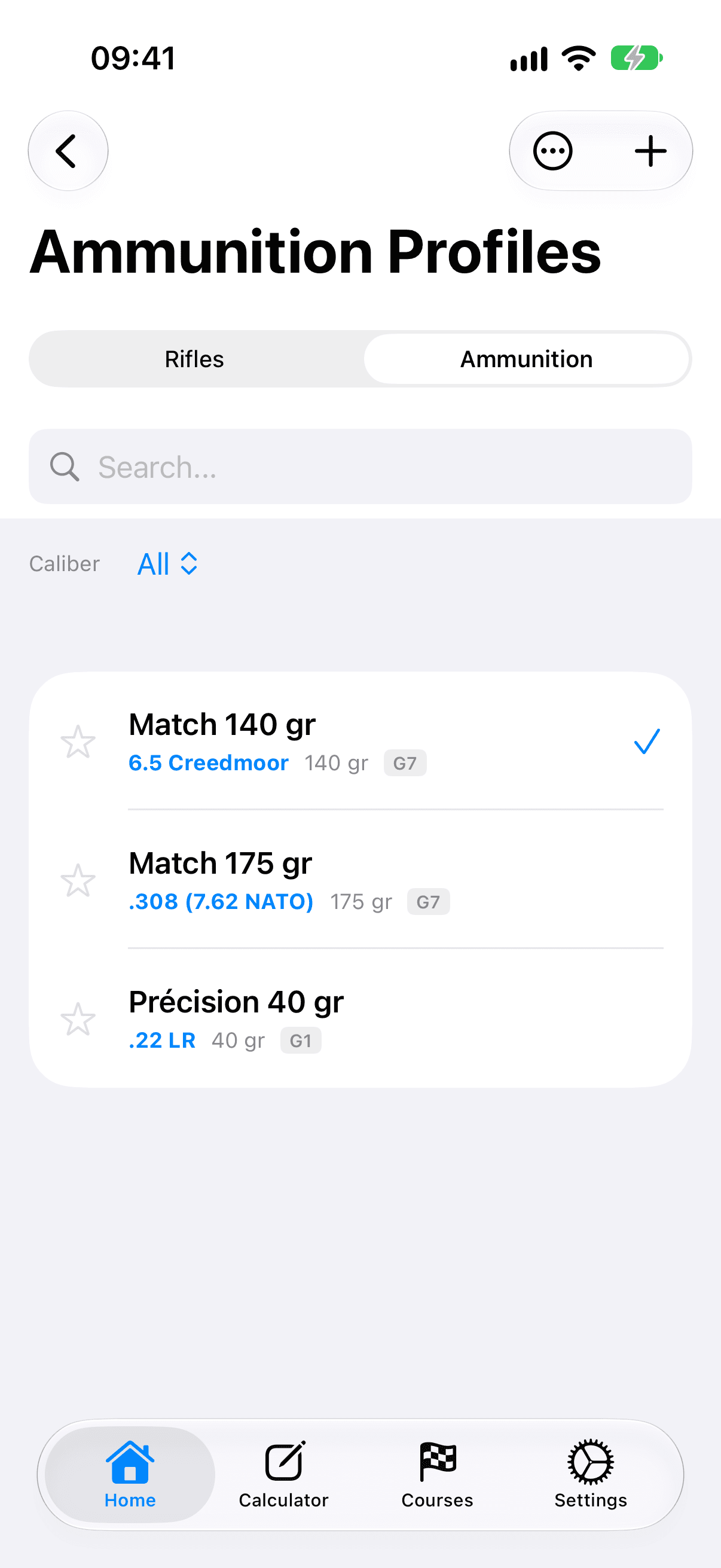
A rifle described once, turret by turret
The rifle profile holds scope height, twist rate and turret unit, mrad or MOA. Vertical click and horizontal click are two separate fields: enter two values if your scope does not have the same step in elevation and windage. The rifle’s reticle is chosen on its form.
To start from an existing rifle, swipe its row left and tap Duplicate, or long-press it: the copy keeps every setting, reticle included, with no link to a load or a course.
- Turrets in mrad or MOA
- Click value for each turret
- Twist rate and scope height
- Duplicate in one gesture
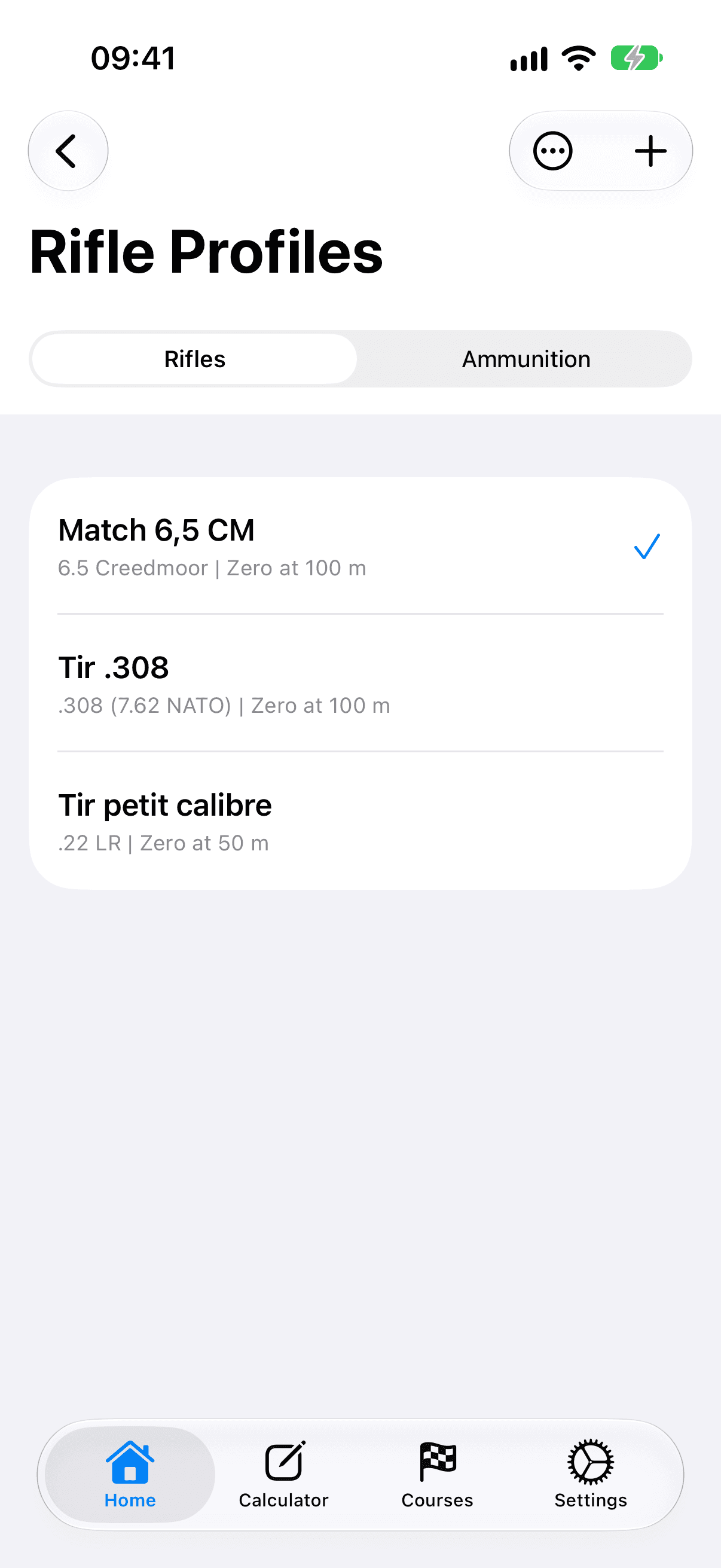
A load, with the drag model its BC was published in
The calculation needs a name, caliber, bullet weight, muzzle velocity and BC; an indicator flags an incomplete load. Measure velocity with a chronograph on your own rifle: the maker’s figure comes from a test barrel that is often longer. The caliber sets the bullet diameter, from 45 listed calibers; a caliber that is not listed is entered with its diameter, in the Other category.
Pick the drag model the BC is published in: G1, G7 or RA4. A BC entered in another model skews the drop. If the maker publishes one BC per velocity band, enter up to 5 velocity and BC pairs; a Doppler radar drag curve can also replace the BC.
A load that does not hit where your zeroing load hits gets a zero offset, in MOA or MRAD: the solution compensates for it without touching the scope. Measured it in inches or centimeters? The app works out the angle from the offset and the shot distance. Suppressor on or off? The “Apply the offset” switch in the sheet, or the icon in the calculator’s Ammunition card (green: applied, grey: suspended), applies or suspends it with one tap, without erasing your values.
- Bullet weight, muzzle velocity, BC and length
- G1, G7, RA4, several BCs or a Doppler curve
- Zero offset as an angle, can be entered in cm or inches, suspended with one tap
- Duplicate a load, without its chronograph series
The bullet catalog fills in the form for handloading
Once the caliber is chosen, “Choose a bullet from the catalogue” lists the bullets of that diameter, from a catalog of 384 Hornady, Berger, Norma and Lapua bullets. Your choice fills in name, weight, BC (G7 when published, otherwise G1) and length when published.
It changes neither caliber nor velocity: enter the velocity you measured with your chronograph. Values are those published by the makers; a bullet that is not listed is entered by hand.
- List filtered on the caliber’s diameter
- Name, weight, BC and length filled in
- Velocity stays yours
Your chronograph series, with no copying or math
betaOn the load form, paste your velocities or open a file: a Garmin Xero .fit, a ShotView CSV or XLSX export, a LabRadar or MagnetoSpeed CSV. The app gives the average, standard deviation and spread, then suggests the muzzle velocity to carry over, with its margin. An outlier is flagged, never removed without your approval; with fewer than 3 shots kept, there is no standard deviation and no suggestion.
Powder temperature sensitivity is entered with its measurement temperature. With two series of the same load at least 10 °C apart, the app calculates it and suggests it; if its margin is too wide, it adds “Unreliable”: 10 shots per series would make it safer.
Receiving a series from a Garmin Xero over Bluetooth is in beta: it is read from the maker’s documentation, without testing on the hardware. Exporting the session as a file remains the safe route.
- Paste, or a .fit, CSV or XLSX file
- Average, standard deviation and suggested muzzle velocity, with its margin
- Temperature sensitivity suggested from two series
- Garmin Xero over Bluetooth: beta
A load trued from the offset of your group
When the impact does not land where the calculation says, the “Truing” section of the sheet corrects the load. Set your scope to the app’s solution, shoot 5 rounds, measure the offset between the aim point and the centre of the group, in cm, inches or clicks, and say whether it is lower or higher. The app works out the corrected muzzle velocity or BC: you have no drop to calculate. A line says which one to correct for the shooting distance: velocity while the bullet is well supersonic (Mach 1.2 or more), BC when it nears the speed of sound.
“Save as a variant” creates a linked load with the trued value: useful for one box or lot that does not shoot like the others, and the original load keeps its value. “Apply to this ammunition” writes the value into the load itself; the sheet then shows the value before and the trued value, with a way back to the original, and the calculator marks the load “Trued”.
When the calculation is refused, the screen says why and nothing is applied: offset too far from the predicted trajectory, or distance too short to determine the parameter. Only the vertical offset is corrected: a lateral offset comes from wind, zero or cant.
- Offset in cm, inches or clicks of the vertical turret
- One variant per box or lot, original load untouched
- Value before and trued value shown, with a way back
- Several BCs or a drag curve: trued on velocity only
Your profiles from one iPhone to another, nothing overwritten
“Export profiles” creates an .eliterange file with your rifles, your loads, drag curves and chronograph series included, and your courses. It holds no photo, no location, no licence and no target analysis. Send it by AirDrop, Files or message.
On import, the app first shows what will be added and what is already there; nothing is written before “Import”. Nothing is overwritten or deleted: an item with the same name but different content is added with the suffix “(imported)”. Deleting a rifle, a load or a course always asks for confirmation.
- Rifles, loads and courses in a single file
- Preview before import, nothing overwritten
- Deletion always confirmed
Frequently asked questions
My bullet is not in the catalog. What now?
Enter it by hand: name, weight, BC with its drag model, and length if you know it. The catalog only holds values published by four makers.
Does the catalog fill in muzzle velocity?
No. It fills in name, weight, BC and published length, never caliber or velocity. Measure your velocity with a chronograph on your own rifle, over at least 5 shots.
G1 or G7: which drag model should I pick?
The one the maker publishes the BC in. G7 suits slender match bullets, G1 shorter ogives, RA4 .22 LR loads whose BC is published in that model. A BC entered in the wrong model skews the drop.
Which chronograph files can it read?
Garmin Xero .fit, ShotView CSV or XLSX, LabRadar CSV and MagnetoSpeed CSV. An incomplete or damaged file, or one over 20 MB, is refused and nothing is imported.
Do I need to erase the zero offset when I remove the suppressor?
No. Turn off “Apply the offset” in the load’s sheet, or tap the icon in the calculator’s Ammunition card: it turns grey, the solution becomes that of a load with no offset, and your values stay saved. Courses already saved keep their clicks: update them to recompute.
EliteRange is a calculation aid. Always stay in control of your shot and follow safety rules.
See also
- Ballistic calculator: firing solution and wind, in clicksElevation and windage in clicks, two-zone wind, gusts, automatic weather and truing: EliteRange’s free ballistic calculator for iPhone.
- Ballistic range table and trajectory, distance by distanceRange table distance by distance with the correction per unit of wind, trajectory charts, load comparison and an exportable range card. Free on iPhone.
- Bluetooth devices, chronograph series and camera aimingKestrel weather stations, rangefinders and radar over Bluetooth (beta), imported chronograph series, camera aiming: your measurements, no copying.
- Target analysis: your group measured in cm and MOATake a photo of your target: hits detected, group measured in cm, inches and MOA, scope correction in clicks, progress tracked. Free, on iPhone.
Try it on your rifle
Free · iOS 18.4 or later · No account, no ads